Run social media for every client without hiring.
Castiva's AI writes and designs each client's posts in their own voice, then schedules and publishes to Facebook, Instagram, TikTok and X.
From “we need a post” to posted
Teach it each client
Save each client's tone of voice, topics to avoid, brand colors and hashtags. Castiva uses these guidelines when helping you create content.
Say what the post is about
One line of brief. Castiva writes the caption and generates the image in that client's voice, tuned for each platform.
Review, then publish
Check the content, make your edits and choose when it goes live. Team review workflows are available on eligible plans.
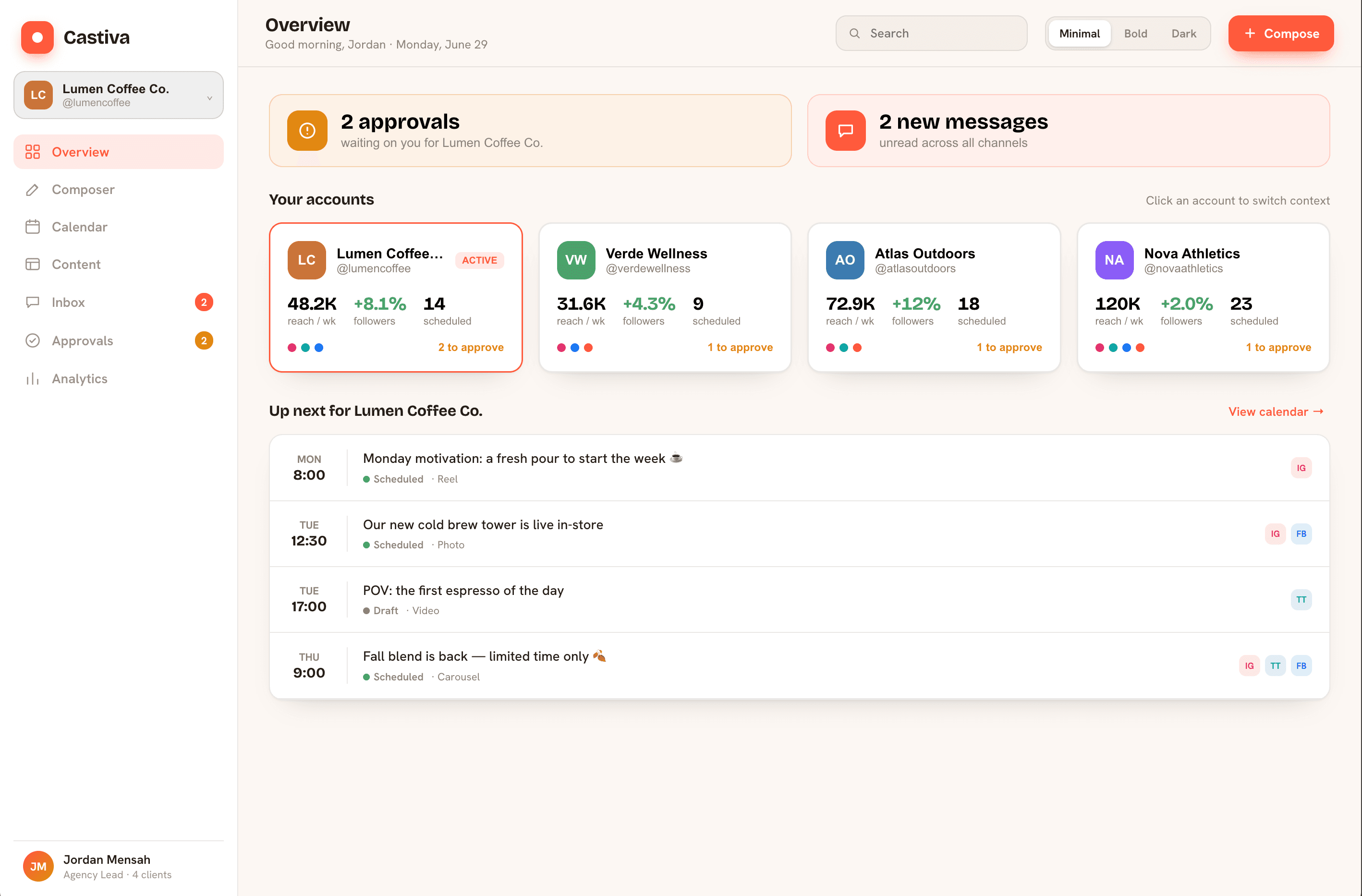
Illustrative dashboard with sample data
Everything else you need to run ten clients at once
Every client gets a voice
Save each client's tone, topics to avoid, colors and hashtags. Castiva uses those guidelines to help you create distinct content for each brand. Review and edit the result before publishing.
A calendar you'll actually enjoy
Plan your week in one calendar. Recommendations and best posting times are available on eligible paid plans.
Every client, one dashboard
Switch brands in a click — each client keeps its own calendar, library and numbers. Nothing gets mixed up.
Scheduling and drafts · media library with reuse tracking · per-client insights and best posting times · team seats and roles · audit log · GDPR and DPA ready
Simple, friendly pricing
Pick a plan and start posting. Switch or cancel anytime.
Paid plan details are temporarily unavailable. Please check again shortly.
Every plan is month-to-month · Switch or cancel anytime
A few things to know before you start
What counts as a client, channel or seat?
A client is a brand workspace. A channel is one connected social account: one client with Facebook and Instagram uses two channels. A seat is a workspace member, including you.
Can I start without paying?
Yes. The free plan needs no credit card. Its client, channel, seat and monthly AI limits are shown above. Creating an account does not start a paid subscription.
What can I make with AI points?
At current rates, one copy generation costs 10 points and one standard image generation costs 20 points: 30 points for one of each. Revisions, other operations and different models may cost additional points. This is an operation example, not a guaranteed finished-post allowance.
Do my AI points roll over?
Monthly plan points reset on the first of each month; unused plan points do not roll over. Purchased points stay in your balance. The app shows the points cost before generation.
Does AI publish automatically?
Generating content does not publish it. You review the result and choose to schedule or publish. Authorized operators can publish directly; team review is an optional workflow.
Who can review posts?
Team review workflows are not currently available for general signup. You can still review and edit your own drafts before publishing.
Which accounts can I connect?
Castiva supports Facebook Pages, professional Instagram accounts linked to a Facebook Page, TikTok and X. Available formats and publishing permissions vary by network. LinkedIn and Google Business Profile are not supported.
How am I billed?
Paid subscriptions are billed monthly in EUR. You can manage cancellation and plan changes in billing settings. If a smaller plan has lower limits than your current usage, you will need to reduce that usage before switching.
Take on the next client.
One brief per client. On-brand posts, written, scheduled and published.
Get started